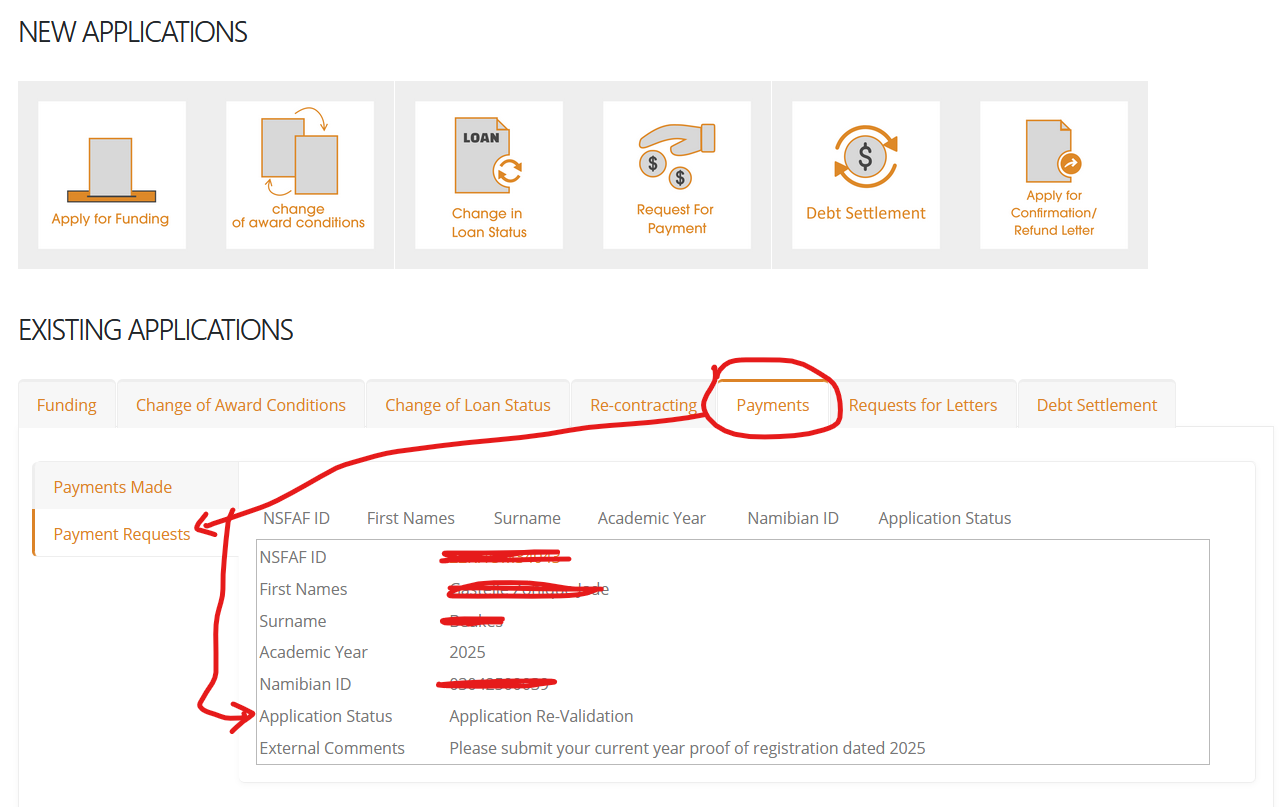

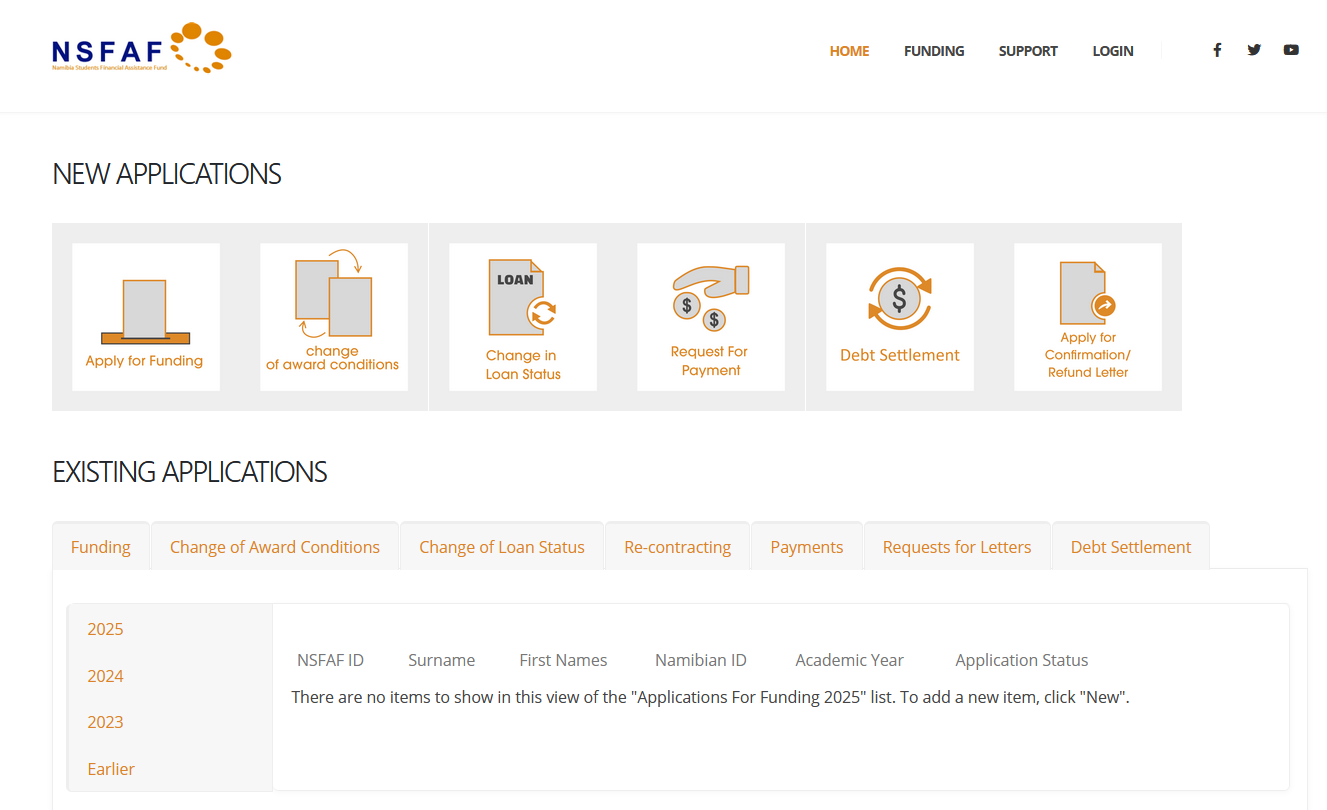
- Login to your student portal and the following will appear.
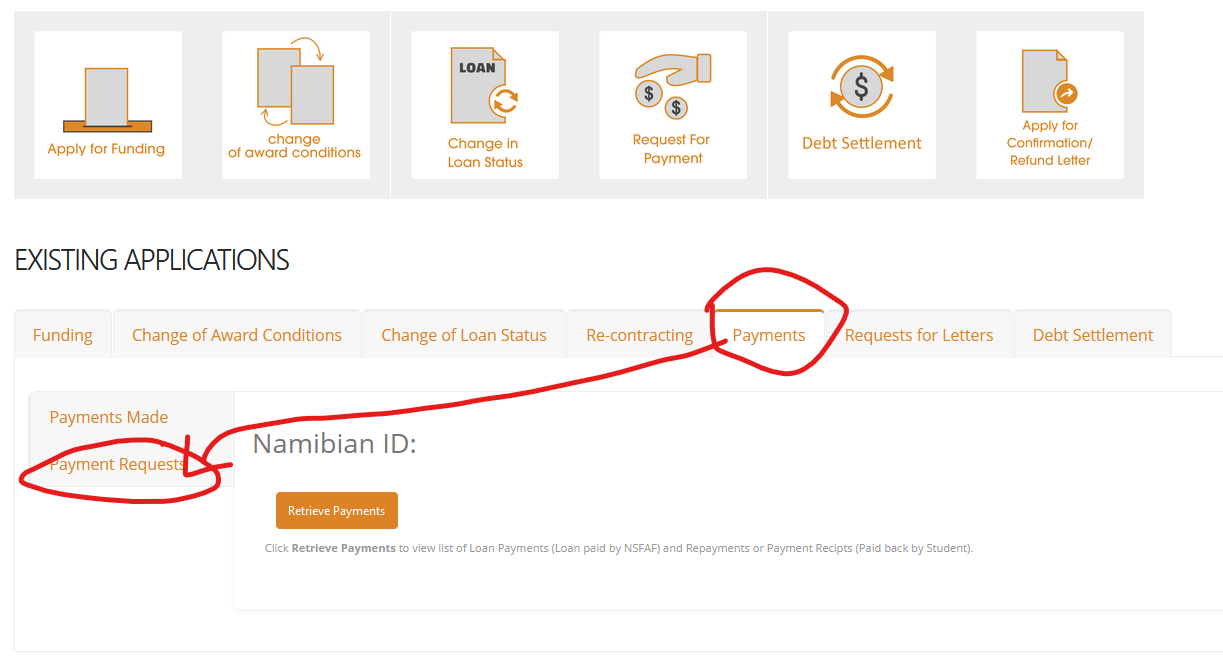
- Click on Payments, then Payment Requests.
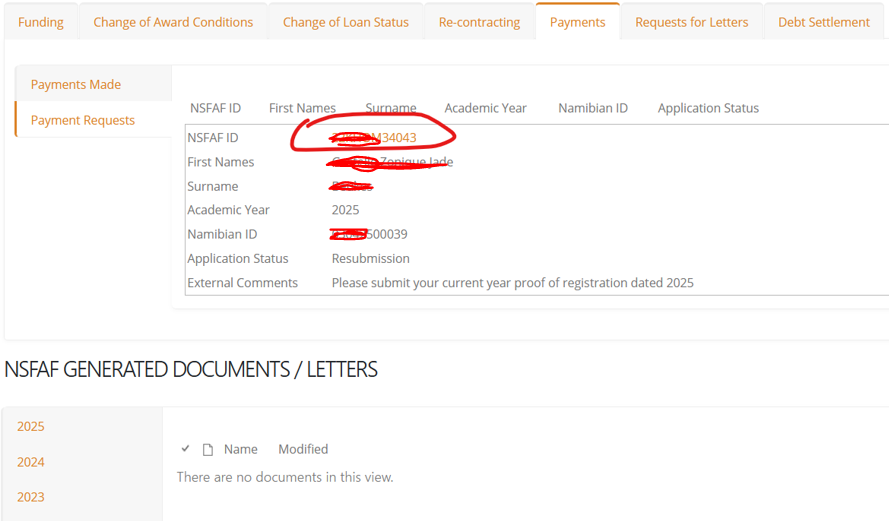
- Click on the NSFAF ID:
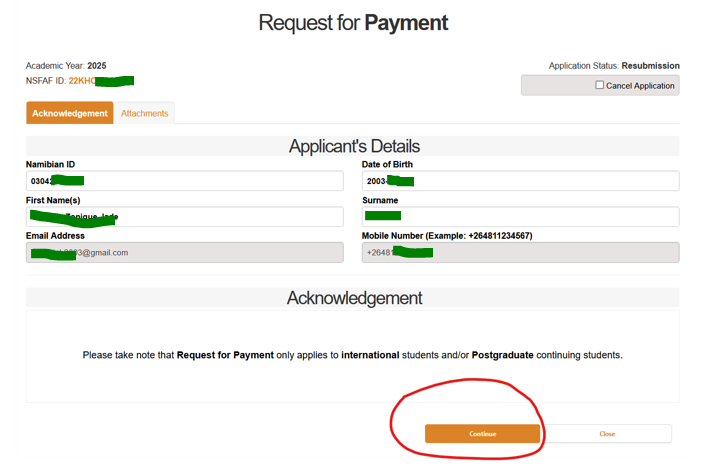
- Click on Continue
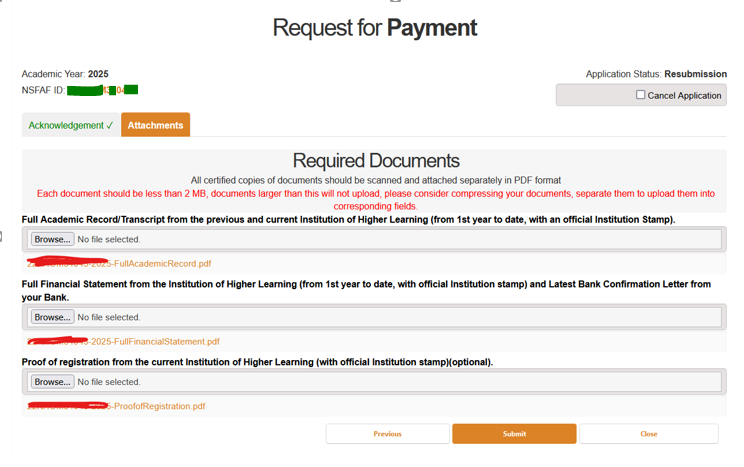
- Click on BROWSE to upload the required missing document
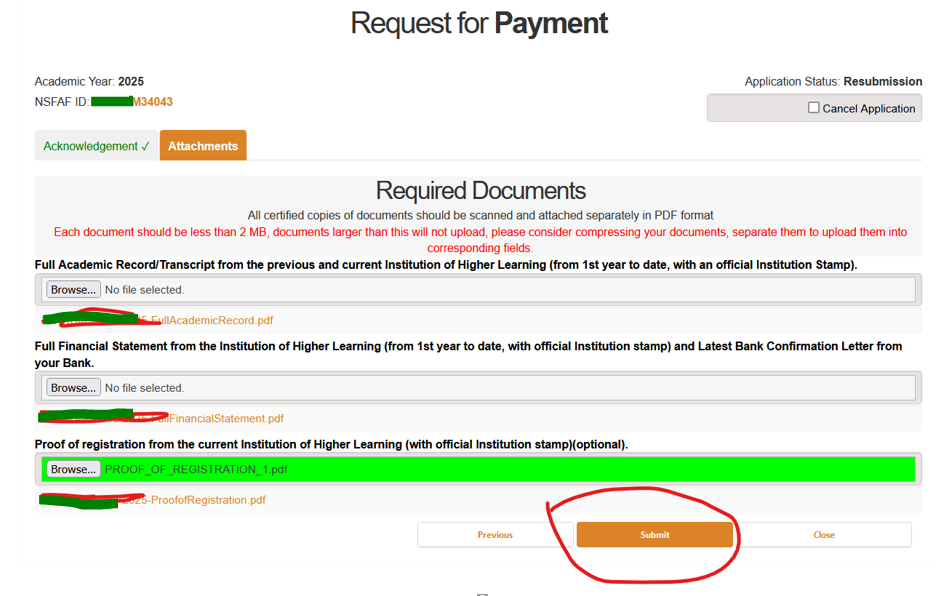
- Click on Submit
- To Confirm, please follow the same process again and see whether the Application Status is showing – Application Re-Validation